 Salvaging a Webinar in the Edit
A case study in rebuilding a written-off panel recording into a usable Q&A, working only from the footage
Overview
In 2023, a wealth management webinar put members of the investing team on a panel, moderated by the head of wealth management. The recording came back flat. The energy was low, the pacing was uneven, and the answers ran long. Leadership looked at it and saw a lost cause. This case covers how it got rebuilt into something worth sending: an edit that started from the answers, a set of rewritten questions, and a short return visit from the moderator. It is a small project and a modest result. I include it because it shows how I work when the raw material is fixed and the only tools left are judgment and an edit.
The Recording
I was new to the team and wasn't in the room when the webinar was recorded. There was no chance to reset the pacing, ask a follow-up, or catch a problem while it was happening. By the time the footage reached me, the session was over and the recording was all there was.
What it held was real expertise delivered slowly. Panelists circled a point, paused, restarted, and sometimes never landed on an answer at all.
The marketing manager, the head of marketing, and the head of wealth management all took the same view: it wasn't salvageable. That was a fair read of the recording as it stood.
Starting From the Answers
I couldn't change what was said, so I changed the order of operations. The original questions had produced meandering answers. Instead of following them, I worked backward from the answers worth keeping.
- Cut to the answer. In Premiere, I removed the long pauses, broken responses, and non-answers. Where a long-winded response had a useful answer buried inside it, I cut down to that sound bite.
- Rewrote the questions to fit. For each sound bite, I wrote the question that leads straight to it. The viewer gets a clear question and then a direct answer.
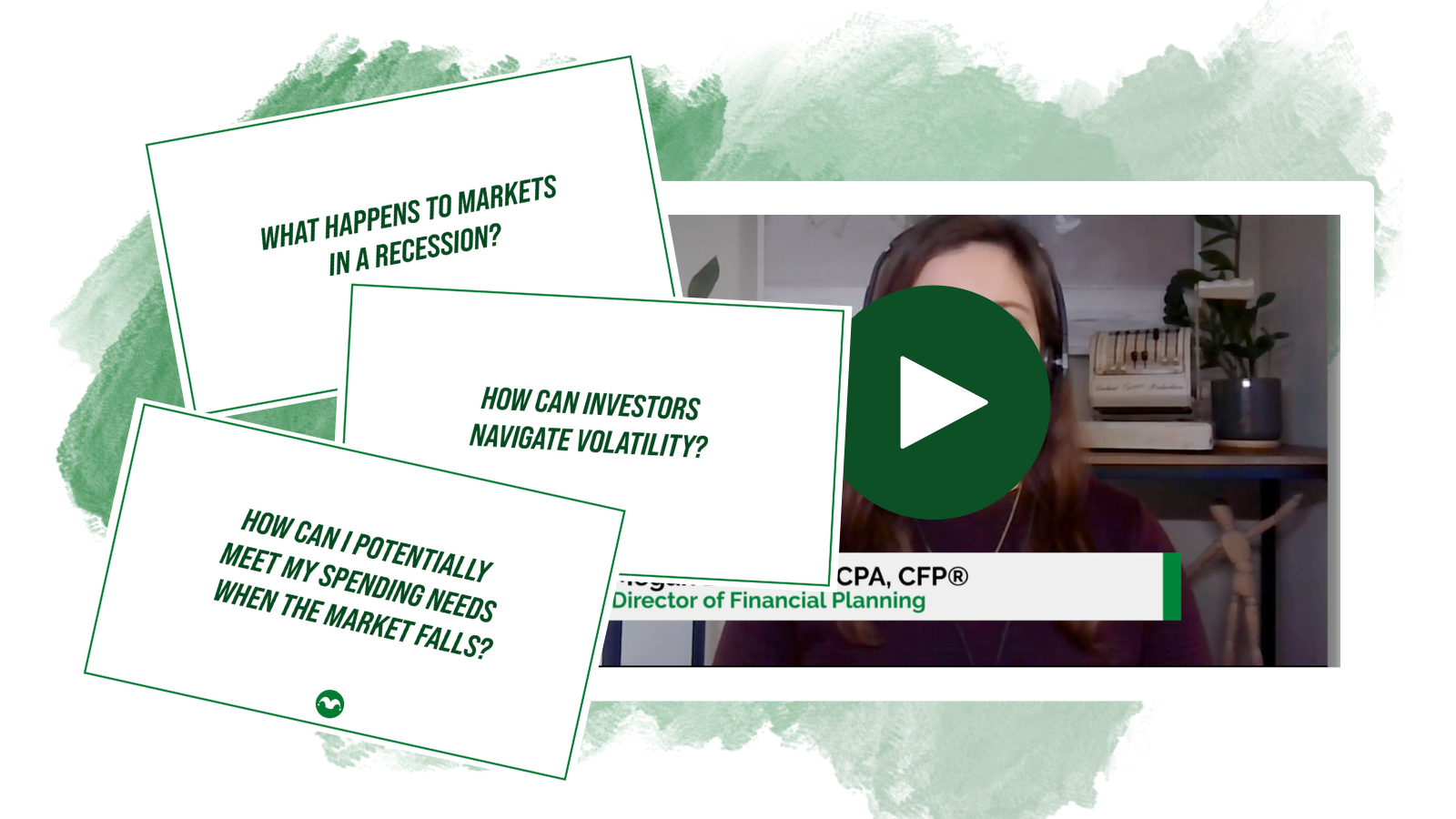
- Built question cards. Each rewritten question went on an After Effects card that runs ahead of the answer, so the viewer knows what they are about to hear.
- Smoothed the handoffs. After Effects transitions carry the viewer from one expert to the next, so cuts between panelists read as intentional.
Bringing the Moderator Back
Cards and sound bites alone would have felt like a highlight reel. The piece still needed a host.
I brought the head of wealth management back to re-record short intros that tee up each broader topic. Each segment then had the same shape: the moderator sets up the subject, a card poses the question, and one, two, or three investing team members answer it. The structure did the work the live session hadn't.
Learning the Tools Mid-Project
There was no editor on the team and no contractor to call, so I learned Premiere and After Effects as I went. That made the project take longer than it should have.
Afterward I fixed the gap. The team now has editing and motion resources at the ready, so the next video project doesn't depend on one person learning the software mid-deadline.
Results
- It shipped. The recording leadership expected to scrap went out to the list as a topical webinar recording, and the team built a campaign around sharing it.
- A serviceable asset, not a showpiece. The edit made the content clear and watchable. It could not add energy that wasn't in the room, and the finished piece reflects that.
- The work wasn't wasted. The panelists' time and the planning behind the session produced something usable instead of nothing.
- Resources in place. Editing and motion support is now lined up before it is needed.
What I Carried Forward
If I did it again, I would be in the room. Most of what took days in the edit could have been fixed in minutes during the recording, with a tighter question or a prompt to wrap up.
The rest I have kept. A weak recording usually has a better one inside it, and the way to find it is to start from the strongest answers and build outward. And when a project exposes a missing capability, close the gap after the deadline so the next one starts from a better place.
The visuals in this case are mock-ups that show the segment structure. No original footage or panelists appear.